Notice. New forum software under development. It's going to miss a few functions and look a bit ugly for a while, but I'm working on it full time now as the old forum was too unstable. Couple days, all good. If you notice any issues, please contact me.
matherp Guru Joined: 11/12/2012 Location: United KingdomPosts: 11882
Posted: 10:49am 10 Apr 2026
Copy link to clipboard
Print this post
The code which failed has support for the rp2350 which means it reads a 64-bit value for all the pins instead of a 32-bit value. It then has to shift the bits depending on the pin used for D0. It appears that the RP2040 overhead in handling a 64-bit value rather than a 32-bit one was too much. Accordingly I've used conditional compilation for the RP2040 instead of using the generic calls.
On another issue. I'm considering adding a new build variant for embedded rp2040 use (also probably OK for the Game*Mite). PICOMIN would be a build which excluded things like turtle graphics, GUI controls, Raycasting, Structures and probably some of the displays (SSD1963?) - thoughts?
bfwolf Senior Member Joined: 03/01/2025 Location: GermanyPosts: 258
Posted: 11:19am 10 Apr 2026
Copy link to clipboard
Print this post
Excellent idea!
But I would keep GUI controls, structures, and (most) displays! Structures are a core language element that I wouldn't want to do without, even in embedded applications, and GUI controls in conjunction with displays are essential for user interaction.
Turtle graphics, raycasting, etc., are probably more suited to gaming or "toy programming."
Regards, bfwolf.
Volhout Guru Joined: 05/03/2018 Location: NetherlandsPosts: 6118
Posted: 11:36am 10 Apr 2026
Copy link to clipboard
Print this post
@Peter,
I applaud a PICOMIN2040.
Turtle and Ray are more for HDMI/VGA. Structures ... you know my opinion, they divert too much from core basic. GUI controls : these might be useful in embedded applications SSD1963 eats up all IO (even in 8 bit mode) so the RP2040 cannot be used much anymore
If you appreciate I will take some time to find more victims.
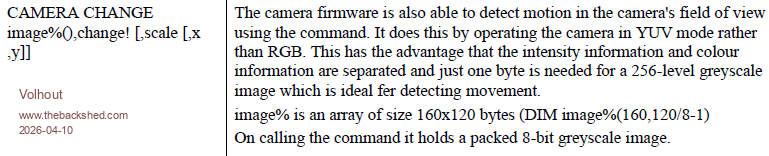
On CAMERA Appart from mentioning 252MHZ clock speed, there is also a bug in the manual.
The image%() array must be 1 dimensional.
DIM image%(160*120/8-1)
Volhout
P.S. in this version, camera is not closed when doing a new RUN. Or stopped when the program ends. . Edited 2026-04-10 21:42 by VolhoutPicomiteVGA PETSCII ROBOTS
matherp Guru Joined: 11/12/2012 Location: United KingdomPosts: 11882
Posted: 11:58am 10 Apr 2026
Copy link to clipboard
Print this post
In which case I just remove turtle and that has no useful effect. If there is to be a cut down version it has to be CUT down
bfwolf Senior Member Joined: 03/01/2025 Location: GermanyPosts: 258
Posted: 12:39pm 10 Apr 2026
Copy link to clipboard
Print this post
I can't assess how much structures affect code size or speed, if those are criteria for you.
Certainly, some displays can be removed.
And then I mainly see commands as dispensable that are more suited to gaming (e.g., for fast graphics) or that are "very specialized" and rarely used in embedded systems. For example, "ASTRO," "FRAMEBUFFER," "GAMEPAD," and "WII."
So, this is just my perspective, which of course doesn't have to apply to everyone.
Regards
Volhout Guru Joined: 05/03/2018 Location: NetherlandsPosts: 6118
Posted: 12:40pm 10 Apr 2026
Copy link to clipboard
Print this post
bfwolf,
As I understand it the full blown 2040 version is still available. This is suggestion is about a mini version, more like the MM2.
And depending on Peters idea about a USB embedded and/or NON-USB embedded version further reduction might be possible. Embedded versions might not need controllers/mouse, and also LongString can be a candidate. As is Draw3D.
But as Peter says: it has to make sense. For 1kbyte size reduction, it is not worth the effort. The memory map could show what modules take most flash memory. Those are candidates for exclusion.
matherp Guru Joined: 11/12/2012 Location: United KingdomPosts: 11882
Posted: 01:18pm 10 Apr 2026
Copy link to clipboard
Print this post
Removed from PicoMiteMin build
Structures Draw3D command and function GUI Turtle graphics Regular expression support Help command VS1053 support Tilemap command and function SSD1963 support ILI9163 SSD1331 ST7735 but not ST7735S ILI9481IPS ILI9481 ILI9488P GC9A01 Virtual displays
Net result image size reduced from 848Kb to 704Kb Edited 2026-04-10 23:18 by matherp
Volhout Guru Joined: 05/03/2018 Location: NetherlandsPosts: 6118
Posted: 01:40pm 10 Apr 2026
Copy link to clipboard
Print this post
Peter,
Up to now all programs that use assets (files in folders, like petscii robots) cannot find these files. Up to now, programs that are not using assets outside the program itself run. But I touched only the tip of the iceberg.
phil99 Guru Joined: 11/02/2018 Location: AustraliaPosts: 3381
Posted: 01:50am 11 Apr 2026
Copy link to clipboard
Print this post
I notice all the GPS() functions that have been removed from the MMBasic manual have not been added to the GPS and Astronomical Commands Reference PDF. It only contains those relevant to Astro.
matherp Guru Joined: 11/12/2012 Location: United KingdomPosts: 11882
Posted: 07:23am 11 Apr 2026
Copy link to clipboard
Print this post
Easily solved. Should I add back the tilemap command? If I don't my breakout game won't work.
Volhout Guru Joined: 05/03/2018 Location: NetherlandsPosts: 6118
Posted: 08:09am 11 Apr 2026
Copy link to clipboard
Print this post
Yes, tilemap would be needed for breakout. I will test your new version, but today I am with the grand children to an amusement park. It is such fun to be grand-dad….
Volhout Guru Joined: 05/03/2018 Location: NetherlandsPosts: 6118
Posted: 07:20am 12 Apr 2026
Copy link to clipboard
Print this post
Hi Peter,
Your fix for CPUSPEED works. But there is an other bug. Running 300MHz in this test.
I have no idea how to analyze this further. But I have a weird problem. You will most likely not be able to reproduce, since it is very specific.
On Game*mite 2026 the menu program is in flash slot 1, and is started with AUTORUN 1,NORESET. When I press the hardware reset button on the game mite it starts.
The menu system defaults to the A drive, but when there is a B drive (SD card) it will indicate that pressing B button will show content of B drive. The menu system is written by Geoff, and it is littered with WATCHDOG commands. So timing is critical. But I have a generic "switch" that runs the menu system without watchdogs (needed for previous development).
Option A: run menu system without watchdog
When I run picofrog, press A (to start the game) and then hardware RESET the gamemite, the menu system starts, but operates very slow. Each key press can last 2 seconds. UNTIL the moment I pull the SD card out. Then it is fast again.
When I run picofrog, and switch off the game mite, and turn it back on, all is fine. But the RESET button causes this, and up to now only with picofrog. This is shared SPI bus (SD card/display). Maybe reset is not initializing the same as cold boot (power off) ? Or timing is shorter ? Picofrog uses fast setticks, and play sound, and framebuffers. Maybe framebuffer transfer while pressing the hardware reset button causes this.
Option B: run the menu system with watchdog
Run picofrog, start the game with A and press RESET. Now PicoFrog restarts. What I think that happens is that there is a watchdig timeout (SD card slow as shown above) causing the watchdog to fire, pico to restart, but in stead of restarting the menu system (OPTION AUTORUN 1,NORESET) it starts the current game in program memory: picofrog.
Not sure if this behaviour is planned. Or should it return to console ?
matherp Guru Joined: 11/12/2012 Location: United KingdomPosts: 11882
Posted: 07:35am 12 Apr 2026
Copy link to clipboard
Print this post
Please could you try the "normal" PicoMite firmware posted on the 6.02.02 thread. My assumption is that it will show the same thing in which case it is some strange artefact created by the addition of the "C:" drive. That was the case with the "File not found" bug, whereas the CPU speed one was PicoMiteMin specific.
Could you also confirm how this software works. After a reset, is it supposed to re-run the game that was just running or am I misreading your post? Edited 2026-04-12 17:43 by matherp
Volhout Guru Joined: 05/03/2018 Location: NetherlandsPosts: 6118
Posted: 10:58am 12 Apr 2026
Copy link to clipboard
Print this post
Hi Peter,
The game mite should get to menu after reset Can test other image this evening.

 Notice. New forum software under development. It's going to miss a few functions and look a bit ugly for a while, but I'm working on it full time now as the old forum was too unstable. Couple days, all good. If you notice any issues, please contact me.


 Print this post
 Excellent idea!