Notice. New forum software under development. It's going to miss a few functions and look a bit ugly for a while, but I'm working on it full time now as the old forum was too unstable. Couple days, all good. If you notice any issues, please contact me.
stanleyella Guru Joined: 25/06/2022 Location: United KingdomPosts: 2807
Posted: 08:49pm 09 Mar 2026
Copy link to clipboard
Print this post
stanleyella Guru Joined: 25/06/2022 Location: United KingdomPosts: 2807
Posted: 09:24pm 09 Mar 2026
Copy link to clipboard
Print this post
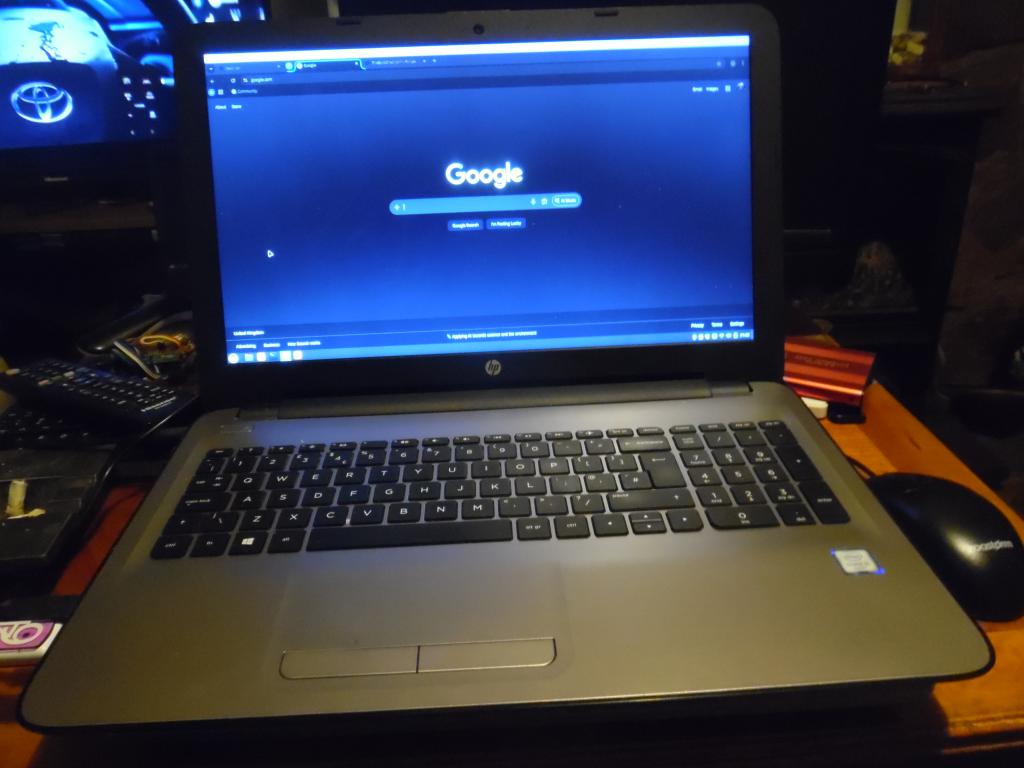
sorry,new laptop. HP 250 G5 £60 + postage. No OS. yes, sell them no os .or linux mint, honest Installed linux mint cinnamon and it's fine... like ny ex win pc running mint. For the linux posters :) moving on from, abandoning win or the sinking ship, whell you got to try an alternative to judge it. mint isdesighned to make it feel like windows, file manager behaves the same and lots of win features work. nice linux laptop £60 does what win did :)
stanleyella Guru Joined: 25/06/2022 Location: United KingdomPosts: 2807
Posted: 10:25pm 09 Mar 2026
Copy link to clipboard
Print this post
cheap and install linux and mess up, just install it again... jokin
Edited 2026-03-10 08:31 by stanleyella
stanleyella Guru Joined: 25/06/2022 Location: United KingdomPosts: 2807
Posted: 10:40pm 09 Mar 2026
Copy link to clipboard
Print this post
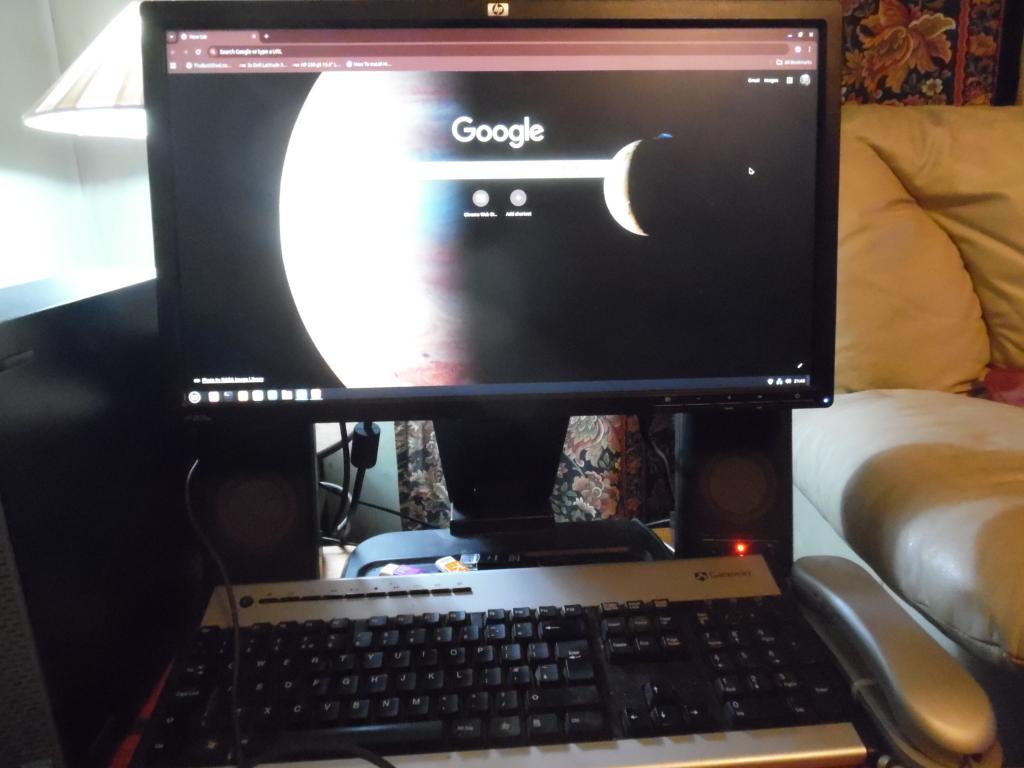
google looks different on a pc but laptop 1920x1080 and pc vga not. both I5. Think I pressed wrong buttons.
stanleyella Guru Joined: 25/06/2022 Location: United KingdomPosts: 2807
Posted: 11:11pm 09 Mar 2026
Copy link to clipboard
Print this post
seems hard to get google browser... options firefox or duck duck go, no google. ok on pc
JohnS Guru Joined: 18/11/2011 Location: United KingdomPosts: 4380
Posted: 11:16pm 09 Mar 2026
Copy link to clipboard
Print this post
You mean no chromium?
Can't say I love it but I'm (very) surprised if not available.
John
stanleyella Guru Joined: 25/06/2022 Location: United KingdomPosts: 2807
Posted: 11:46pm 09 Mar 2026
Copy link to clipboard
Print this post
Johns, I got Ghromium browser from type into firefox, didn't have these probs before on pc linux mint,.then I dont remember if it was terminal or software manager. if your interested iwas told to disable legacy boot and secure boot butbooting to usb mint image put me in lmde dos mode. turned legacy back on and it installed. happy days. not being a computer wiz I like linux mint and see why it's recomended. stan
stanleyella Guru Joined: 25/06/2022 Location: United KingdomPosts: 2807
Posted: 01:20am 10 Mar 2026
Copy link to clipboard
Print this post
stan@stan-HP-250-G5-Notebook-PC:~$ command -v chromium && chromium --version /usr/bin/chromium Chromium 145.0.7632.116 for Linux Mint stan@stan-HP-250-G5-Notebook-PC:~$
stanleyella Guru Joined: 25/06/2022 Location: United KingdomPosts: 2807
Posted: 01:44am 10 Mar 2026
Copy link to clipboard
Print this post
Just got linux MMedit running. got to set usb groups.....bloody linux
stanleyella Guru Joined: 25/06/2022 Location: United KingdomPosts: 2807
Posted: 02:21am 10 Mar 2026
Copy link to clipboard
Print this post
sudo adduser $USER dialout for usb serial, done this before. regards stan
stanleyella Guru Joined: 25/06/2022 Location: United KingdomPosts: 2807
Posted: 02:44am 10 Mar 2026
Copy link to clipboard
Print this post
any interest for all those linux users You can download the latest version of Google Chrome from their official website. For this, you can use the command-line with wget:
wget https://dl.google.com/linux/direct/google-chrome-stable_current_amd64.deb This will download the .deb package of Google Chrome for 64-bit systems, which is standard for most modern systems. If you have a different architecture, you'll need to get the appropriate package from Google Chrome's download page.
Install Google Chrome To install the package you've just downloaded, run the following command:
sudo dpkg -i google-chrome-stable_current_amd64.deb During the installation process, it's possible that you might encounter some dependency errors. If this happens, you can fix it and complete the installation by running:
sudo apt --fix-broken install Launch Google Chrome Once installed, you can launch Google Chrome from the application menu or from the terminal using:
google-chrome-stable Optional: Create a Desktop Shortcut (if it doesn't automatically exist) If, for some reason, a desktop shortcut isn't created, you can manually create one:
Navigate to the applications directory:
cd /usr/share/applications/ Copy the google-chrome.desktop file to your desktop:
cp google-chrome.desktop ~/Desktop/
stanleyella Guru Joined: 25/06/2022 Location: United KingdomPosts: 2807
Posted: 02:57am 10 Mar 2026
Copy link to clipboard
Print this post
Never had a linux laptop... last desktop ubuntu was when it was dialup network
stanleyella Guru Joined: 25/06/2022 Location: United KingdomPosts: 2807
Posted: 03:17am 10 Mar 2026
Copy link to clipboard
Print this post
google install this it's google at your peril. it wants info. You can download the latest version of Google Chrome from their official website. For this, you can use the command-line with wget:
wget https://dl.google.com/linux/direct/google-chrome-stable_current_amd64.deb This will download the .deb package of Google Chrome for 64-bit systems, which is standard for most modern systems. If you have a different architecture, you'll need to get the appropriate package from Google Chrome's download page.
Install Google Chrome To install the package you've just downloaded, run the following command:
sudo dpkg -i google-chrome-stable_current_amd64.deb During the installation process, it's possible that you might encounter some dependency errors. If this happens, you can fix it and complete the installation by running:
sudo apt --fix-broken install Launch Google Chrome Once installed, you can launch Google Chrome from the application menu or from the terminal using:
google-chrome-stable Optional: Create a Desktop Shortcut (if it doesn't automatically exist) If, for some reason, a desktop shortcut isn't created, you can manually create one:
Navigate to the applications directory:
cd /usr/share/applications/ Copy the google-chrome.desktop file to your desktop:
cp google-chrome.desktop ~/Desktop/
Mixtel90 Guru Joined: 05/10/2019 Location: United KingdomPosts: 9136
Posted: 10:48am 10 Mar 2026
Copy link to clipboard
Print this post
There is Ungoogled Chromium if you insist. There is also a Linux version of Brave, which is Chromium based. IIRC I also got Waterfox to run on Linux.Mick
Bryan1 Guru Joined: 22/02/2006 Location: AustraliaPosts: 2267
Posted: 11:25am 10 Mar 2026
Copy link to clipboard
Print this post
I've been using firefox for well over 15 years and when I export bookmarks got well over 500 of them going back to '10 and some even older and a few of them are still online
tgerbic Senior Member Joined: 25/07/2019 Location: United StatesPosts: 123
Posted: 09:43pm 10 Mar 2026
Copy link to clipboard
Print this post
It is a matter of perspective.
People that have always used Unix, Xenix, Linux, etc. are generally very comfortable with Linux and may complain about lots of shortcomings or difficulties with Windows. People that started with Windows and used it exclusively probably hate Linux and find it difficult to understand and use. Some are now warming up to Linux as Windows is moving even further toward personal data harvesting and subscriptions as a business model.
Some of us used earlier operating systems and started using Windows and Linux from their betas to now, and find each has its strong/weak points but doing things is a little different in each OS. Each has some restrictions about something. Nice thing about Linux is that it has progressed to the point nearly everyone can use it as an alternative to Windows. Just like they did for Windows, there is a learning curve.
True there are some older Windows drivers or apps that just will not run on Linux but Virtual Box, WineHQ and DosBox fixes a lot of these things. There may also be an opportunity to just keep an old Windows machine around for those corner cases.
I have an XP machine with serial, parallel and SCSI interfaces, as well as 3.5, 5.25 and a CD burner. Second machine is a multiboot multiDOS machine with all the same interfaces as the XP machine but has a Compaticard with a second set of drives and connectors for two 8" drives on the back. This one is packed with CP/M and other conversion tools. Third machine is a Pentium with 32-bit Fedora Linux and a set of drives like the XP machine but is loaded with Dos and CP/M compatibility apps and LIF-tools. May be excessive in most peoples minds but if I need to do some vintage stuff, they are immediately usable. Better to have these ready than to try to build up something from scratch.
There are PCIe and USB converters for many types of interfaces for today's hardware. Some come with disappointing caveats/restrictions but do add some flexibility.
stanleyella Guru Joined: 25/06/2022 Location: United KingdomPosts: 2807
Posted: 06:14pm 11 Mar 2026
Copy link to clipboard
Print this post
messed up win 11 properly so linux mint was the replacement and it acts like win so was easy to get used to and it does all I did on win. so I bought a cheap hp laptop with no OS and installed linux mint. lots of linux versions of win programs. mmedit... and rpi version. loads of others. stan
stanleyella Guru Joined: 25/06/2022 Location: United KingdomPosts: 2807
Posted: 06:43pm 11 Mar 2026
Copy link to clipboard
Print this post
@lgerbic.. hi, it's now not true that linux is hard to use. Seveveral versions make it look and act like win...twister os, mint, zorin. this on hp mint laptop
Page 1 of 2
Print this page
The Back Shed's forum code is written, and hosted, in Australia.

 Notice. New forum software under development. It's going to miss a few functions and look a bit ugly for a while, but I'm working on it full time now as the old forum was too unstable. Couple days, all good. If you notice any issues, please contact me.


 Print this post