Notice. New forum software under development. It's going to miss a few functions and look a bit ugly for a while, but I'm working on it full time now as the old forum was too unstable. Couple days, all good. If you notice any issues, please contact me.
Known issues: Autosave of large files flakey xmodem not working Edited 2026-05-19 03:28 by matherp
PhenixRising Guru Joined: 07/11/2023 Location: United KingdomPosts: 2076
Posted: 06:41pm 18 May 2026
Copy link to clipboard
Print this post
Dammit, given me yet another idea
terekgabor Senior Member Joined: 02/01/2026 Location: HungaryPosts: 129
Posted: 06:51pm 18 May 2026
Copy link to clipboard
Print this post
Peter!
Fantastic, has it still web capalities or only bluetooth?
G@bor
Grogster Admin Group Joined: 31/12/2012 Location: New ZealandPosts: 10043
Posted: 12:57am 19 May 2026
Copy link to clipboard
Print this post
I seem to recall you saying a while back that BT would NEVER be supported ever, Peter.... At that time, you mentioned that the BT protocol is a complete bastard of a beast, and that getting BT to work at any level would require way more effort then you were prepared to put in.
I really rather like to see you post these kinds of threads after saying you'll never do it. Is it just that you like the challenge perhaps, or have run out of other coding to work on?
I bet you dream C code at night. Edited 2026-05-19 10:58 by GrogsterSmoke makes things work. When the smoke gets out, it stops!
Peter63 Senior Member Joined: 28/07/2017 Location: SwedenPosts: 206
Posted: 03:59am 19 May 2026
Copy link to clipboard
Print this post
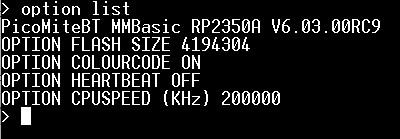
Hello Have tested the PicoMiteBT version, and it works ... I have tried using a Windows 11 computer, and TeraTerm. "I am as happy as a penguin in a microwave", quote from QI TV series
/Peter63
Frank N. Furter Guru Joined: 28/05/2012 Location: GermanyPosts: 1153
Posted: 06:45am 19 May 2026
Copy link to clipboard
Print this post
That's really cool!!! Finally, I can build the little robot I've been planning to make for a long time!
Frank
matherp Guru Joined: 11/12/2012 Location: United KingdomPosts: 11882
Posted: 08:30am 19 May 2026
Copy link to clipboard
Print this post
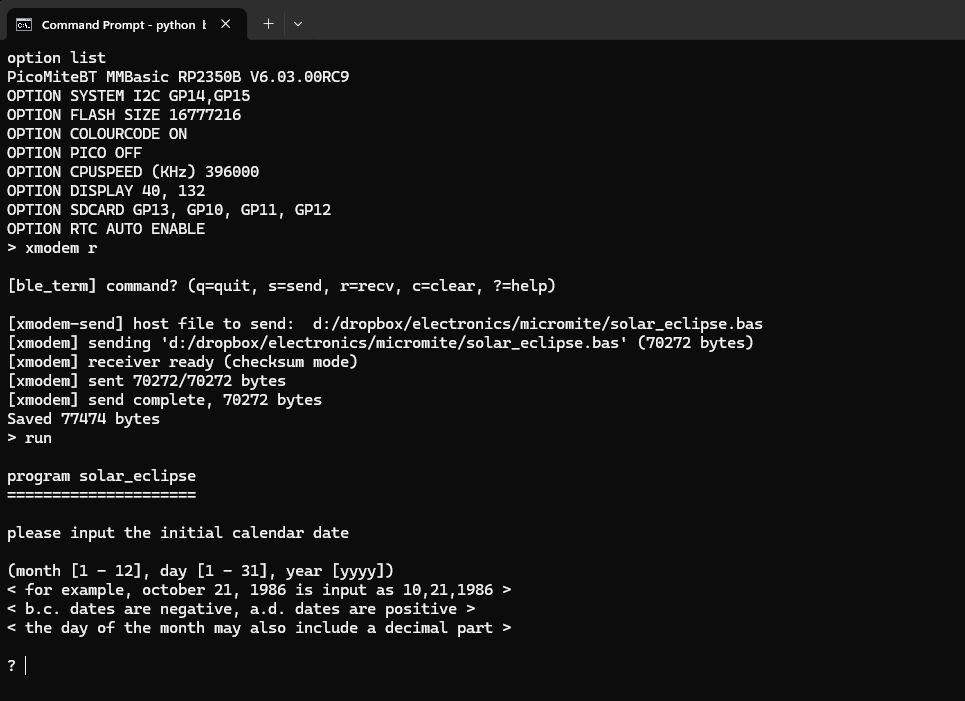
Xmodem and Autosave now working. Build is tested up to 396MHz on a Pico Plus 2W. If using on Linux note the change to the manual. The fix was part firmware and part the bridge so both are needed.
The code is a standard PicoMite RP2350 build with the USB CDC interface swapped for a BLE NUS interface. It does not have any other bluetooth or web functionality
Peter63 Senior Member Joined: 28/07/2017 Location: SwedenPosts: 206
Posted: 08:57am 19 May 2026
Copy link to clipboard
Print this post
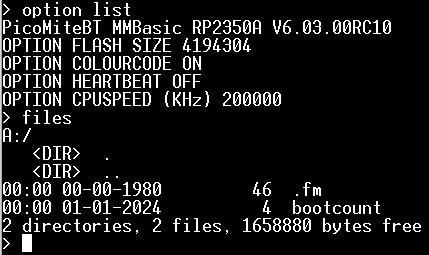
Yep, PicoMiteBT RC10 works too. I will try a little more...
/Peter63
Peter63 Senior Member Joined: 28/07/2017 Location: SwedenPosts: 206
Posted: 09:42am 19 May 2026
Copy link to clipboard
Print this post
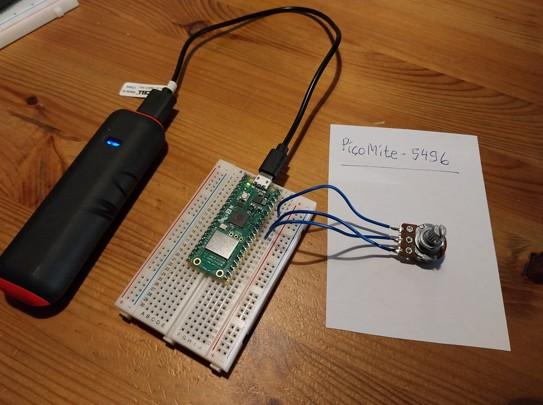
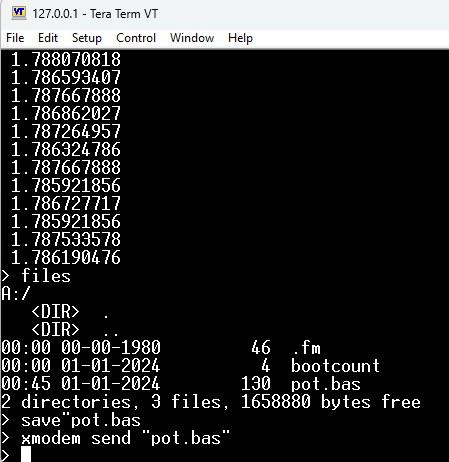
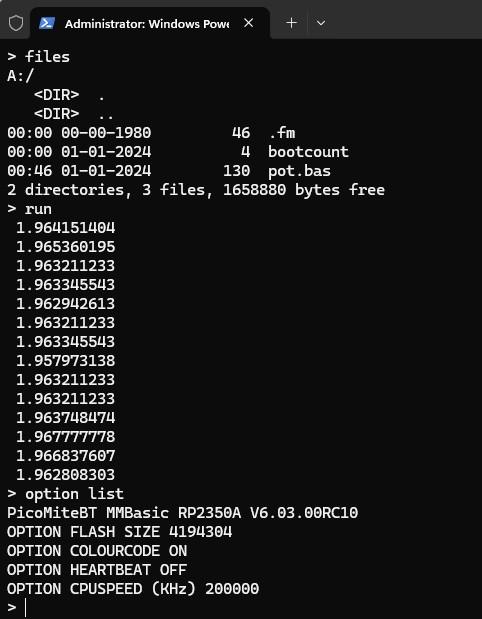
Test of PicoMiteBT, RC10. A small test program that shows the value from a potentiometer (10K).
' ' Read a pot. , using PicoMiteBT RC10 ' SetPin gp26, ain 'SetPin gp26, araw Do Print Pin(gp26) Pause (100) Loop
End
Setup:
Test XMODEM SEND ...
/Peter63
matherp Guru Joined: 11/12/2012 Location: United KingdomPosts: 11882
Posted: 01:54pm 19 May 2026
Copy link to clipboard
Print this post
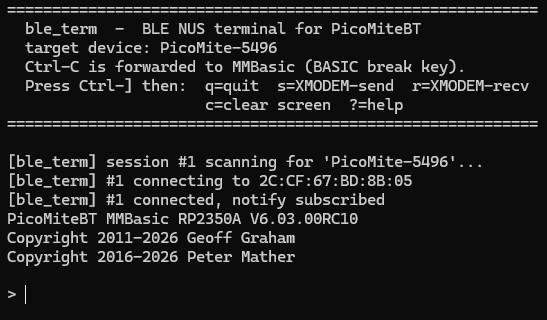
I've created a standalone MMbasic specific terminal for BLE NUS. You can use this instead of the bridge. Should work on Windows or Linux as long as Bleak is installed (pip install bleak). Just open a command window and execute the python command. e.g. python ble_term.py PicoMite-77BA Assuming you have the PicoMiteBT paired as explained in the manual then you then are in a vt100-like terminal. No teraterm or putty required. ctrl-] is a magic key for exiting and invoking xmodem
Glen0 Senior Member Joined: 12/10/2014 Location: New ZealandPosts: 102
Posted: 03:43am 24 May 2026
Copy link to clipboard
Print this post
I have a Pico 2 W connected to my android phone using "Serial Bluetooth Terminal (Kai Morich)". Works nicely with single commands but I want to install a a full program. Is there a simple way to take a program created in "Quickedit" on the phone, and upload and save it into the Pico 2W. Acutely aware of the lack of a "ctrl" button on the Samsung phone keyboard. A little walk through on installing a program from an android phone will be much appreciated.
Glen0 Senior Member Joined: 12/10/2014 Location: New ZealandPosts: 102
Posted: 03:26am 27 May 2026
Copy link to clipboard
Print this post
I didn't RTFM. To send control characters you use one of the macros and set it to HEX mode. Working nicely now. Range is very reasonable.
crez Senior Member Joined: 24/10/2012 Location: AustraliaPosts: 157
Posted: 06:23am 01 Jun 2026
Copy link to clipboard
Print this post
Hi This opens up a few nice possibilities.
Progress so far: Works fine on the IPhone13 as a text interface, but program editing not really possible. That's OK, I'll edit on Laptop. Works fine on my Windows 10 laptop, almost as if it was running over serial to teraterm. Would be nice to be able to cut and paste to XMODEM file path/name.
On a windows 11 laptop, /settings/bluetooth/Add device shows connecting....connected, then 2 seconds later shows 'not connected' ble_term says scanning for pico-RP2350, not found, retry. Maybe I try different Windows bluetooth drivers? Edited 2026-06-01 20:59 by crez

 Notice. New forum software under development. It's going to miss a few functions and look a bit ugly for a while, but I'm working on it full time now as the old forum was too unstable. Couple days, all good. If you notice any issues, please contact me.

 Print this post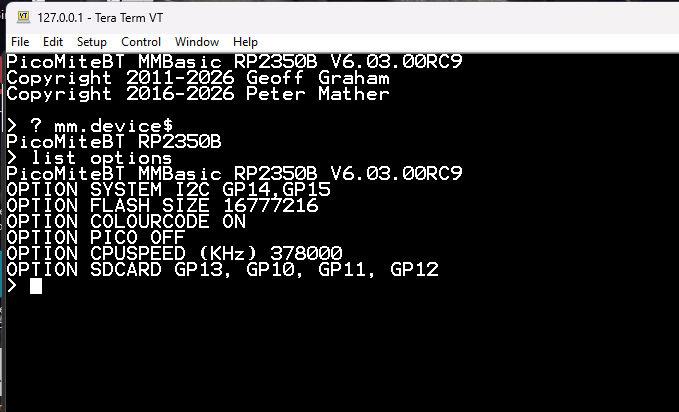
 Dammit, given me yet another idea