Notice. New forum software under development. It's going to miss a few functions and look a bit ugly for a while, but I'm working on it full time now as the old forum was too unstable. Couple days, all good. If you notice any issues, please contact me.
dddns Guru Joined: 20/09/2024 Location: GermanyPosts: 910
Posted: 08:57am 13 Nov 2025
Copy link to clipboard
Print this post
If someone knows a better (free) editor, please tell me
KeepIS Guru Joined: 13/10/2014 Location: AustraliaPosts: 2265
Posted: 09:13am 13 Nov 2025
Copy link to clipboard
Print this post
So there are extensions to VS code that allow me to select any type of Arduino board, and compile the code to suite that specific selected board, with correct Hex file produced ready to be uploaded to the board?
If I'm still using the IDE and this is just an editor, there are smaller straight C editors for that task. . Edited 2025-11-13 19:15 by KeepISNANO:Inverter V 8.4ks - Linux AvrDude GUI script V4.1
dddns Guru Joined: 20/09/2024 Location: GermanyPosts: 910
Posted: 09:23am 13 Nov 2025
Copy link to clipboard
Print this post
Yes, the Arduino environment (~/.arduino15) needed to be installed aside and VSCode uses it. You can still also export and/or compile the code with the Arduino IDE so at least you can have the isolated .hex in any case
I tested this about 3 years ago and this was the most "wow" impression I had. The editor was unbelievable nice to handle
dddns Guru Joined: 20/09/2024 Location: GermanyPosts: 910
Posted: 09:41am 13 Nov 2025
Copy link to clipboard
Print this post
As I don't use MS, my alternative is geany There is a themes extension and I made it almost look like VSC. In the Arduino IDE I use option "external editor". Then open the code with Arduino IDE and minimize. Then use editor of your choice, in my case geany, edit and save and press compile in the Arduino IDE. I know it's not that comfortable but better then using the not sharp and unclear fonts of the IDE. The rest in the 1.8.xx is straight forward and I use it for large ATMega projects like Marlin or even with 2350
Gizmo Admin Group Joined: 05/06/2004 Location: AustraliaPosts: 5196
Posted: 01:08am 20 Apr 2026
Copy link to clipboard
Print this post
OK, giving it another go.
ChatGPT tells me Wine ver 11 is a big improvement over previous version, especially for heavy programs like Dreamweaver.
I fired up my copy of Fedora, but it wouldn't boot now, complained about hardware changes, ( different SATA port ). Decided to do a clean install. All good, dual monitor support, then it did a update, and broke dual screen support seams like there's a bit of forum noise about this, just another update breaking something.
Then my server guy suggested I try CachyOS. He's been using it for a few months and really likes it. Its based in Arch, a rolling update model. Cachy is designed to be user friendly, and fast.
Installed it. Installed Signal, easy. Installed Wine 11, then Paint Shop Pro, and Dreamweaver. easy, and Dreamweaver is fast, not clitchy like it was under the previous Wine on Fedora. Installed Steam, then Quake, and this time it captures the mouse correctly so I can play in a window ( and not get motion sickness ).
I installed Microsoft Edge, nice. A serial terminal, then filezilla. All working perfectly.
Next is the biggie, Thunderbird and its years of emails.
Let you know how it goes, but so far its a big step in the right direction.
GlennThe best time to plant a tree was twenty years ago, the second best time is right now. JAQ
KeepIS Guru Joined: 13/10/2014 Location: AustraliaPosts: 2265
JohnS Guru Joined: 18/11/2011 Location: United KingdomPosts: 4380
Posted: 12:55pm 20 Apr 2026
Copy link to clipboard
Print this post
Thanks, Glenn, interesting!
John
Gizmo Admin Group Joined: 05/06/2004 Location: AustraliaPosts: 5196
Posted: 01:58am 03 May 2026
Copy link to clipboard
Print this post
OK hit another hurdle.
Finding CachyOS very easy to use, friendly, apps install easy, solid desktop.
But, and there's always a but in Linux for me, there's a issue with Wine and the apps I need to run.
See I installed Paint Shop Pro and Dreamweaver in Wine 11, easy to do. Both open and run. When I go to open a file in Paint Shop Pro, the file open dialog has no support for thumbnails. So I need to know the file name, I cant browse for the image. In Dreamweaver, if I need to add a icon or picture to a page I'm working on, same deal, no thumbnails, just file names.
A bit of research, yep, this is a Wine thing. It uses its own cut down file dialog that does not support thumbnails. Tried a few suggested options, none work. The overall consensus is I need to have a Linux file dialog open at the same time, and use that to get the name of the thumbnail, then open that file name in my app. Ridiculous.
I also tried Winboat, which is like a VM / container with Windows installed. It sort of works, apps open as though they are on the Linus desktop, you dont need to open the Windows desktop to use them. I opened a paint program, went to open a file, and got a thumbnail. A generic thumbnail of a image icon, not the actual image. Arghhhh!
So, back to Windows, again.The best time to plant a tree was twenty years ago, the second best time is right now. JAQ
Volhout Guru Joined: 05/03/2018 Location: NetherlandsPosts: 6118
Posted: 05:10am 03 May 2026
Copy link to clipboard
Print this post
Did you try PlayOnLinux? It is a automatic configurator for WineHQ.
Grogster Admin Group Joined: 31/12/2012 Location: New ZealandPosts: 10043
Posted: 11:30pm 03 May 2026
Copy link to clipboard
Print this post
I feel your pain, Glenn.....
I had similar experiences with Linux during my testing of various versions before I settled on Mint.
Basically, what it comes down to is this:
If you NEED or HAVE to run a Windoze application, then stay on Windoze.
Wine and PlayOnLinux are not stable, I have found, when trying to run my Windoze-only CAD software. Running a VM Windoze inside of Linux worked fine with my CAD software, but there were - at the time anyway - issues with trying to print to the Linux printer from inside the VM. It never worked right.
So, if you absolutely have to run a Windoze-only software, Linux is not for you, despite the existence of VM's, WINE and PlayOnLinux and WinBoat apps etc. If you have to run a VM Windoze inside Linux to run your Windoze-only software, then why not just use Windoze.
Linux is brilliant, if you are prepared to move to, and use Linux-versions of any software that exists, and many softwares do both Windoze and Linux ports of their programs - Handbrake video trans-coder, for example, Opera and Firefox web browsers etc. Gwenview for images, ytDownloader for downloading YT videos. GFXterm have both Windoze and Linux ports, as do STM32CUBE programmer, MMEDIT IDE, VLC and Kodi media players.
But there are still plenty of Windoze-only softwares that DON'T have Linux ports, and to run them inside Linux, you are - IMHO - asking for trouble.
I speak from experience.
So, how did I get around my Windoze-only CAD software problem then?
I use an old Windoze-8 64-bit Pro laptop, and have all my Windoze-only CAD running on that. This Win8 machine is not connected to the internet, and it's only purpose in life, is to run the CAD software. I use a 4x4 USB switch thing, to switch the keyboard, mouse and printer between the Win8 laptop, and the Linux Mint machine, so I can swap them between machines at the simple push of a button.
This works brilliantly - for ME. But I have tried and tried to get Windoze-only software to work inside Linux MANY time, and it generally ends up in me tearing my hair out. YES - those softwares DO work fine in a VM inside of Linux, but if you have to setup a full Windoze in a VM under Linux to run them.......then why not just use a dedicated Windoze machine for those things and be done with the stress. My Win8 Pro machine only has 4GB of RAM and a dual-core Atom CPU, so it is VERY SLOW by today's standards, but when running all my CAD, only uses about 1GB of that RAM, and is fast enough for my purposes. The laptop was destined for the dump(cos it could not run Win10 etc - not grunty enough), so I got it for free, and it is perfect for doing my CAD stuff.
That's my 2c anyway, and how I have things setup now. I still use my Linux Mint machine with dual-LCD's for everything else though, and it just goes and goes and goes.
Rant over. Smoke makes things work. When the smoke gets out, it stops!
Chopperp Guru Joined: 03/01/2018 Location: AustraliaPosts: 1131
Posted: 12:29am 04 May 2026
Copy link to clipboard
Print this post
Interesting Grogs Reformatted so I could read it. Lines tooooo long on my browsers
ChopperP
Grogster Admin Group Joined: 31/12/2012 Location: New ZealandPosts: 10043
Posted: 12:40am 04 May 2026
Copy link to clipboard
Print this post
Thanks - I noticed that myself. I think that happens, if a large image is posted, then all the text is spread out to the edges of the large image.Smoke makes things work. When the smoke gets out, it stops!
Gizmo Admin Group Joined: 05/06/2004 Location: AustraliaPosts: 5196
Posted: 12:50am 04 May 2026
Copy link to clipboard
Print this post
Yeah sticking to Windows for now. I'm on Win10, really really really dont want to go to Win11. See if Microsoft realise it was a mistake ( like Win8 ) and go back to a Win10 like system for Win12. For now I'm looking at the extended support for Win10.
The app is king, not the OS. If the OS cant run your app, then the problem is the OS, dont blame the app.
For a general office environment, or home user, I think Linux is a viable option. I run Linux on two PC's here, a server and a Pi400.
Its just the specialised high end or legacy software that's a problem. I really like CachyOS with the KDE interface. I was so close to making it my daily driver, but that no thumbnails issue was going to hinder my workflow and drive me nuts. I'm to old to be aggravated more than I already am.
GlennThe best time to plant a tree was twenty years ago, the second best time is right now. JAQ
Gizmo Admin Group Joined: 05/06/2004 Location: AustraliaPosts: 5196
Posted: 12:51am 04 May 2026
Copy link to clipboard
Print this post
Yeah I found the problem, further up the page was a code post with a very long line of text with no spaces. That will do it.
GlennThe best time to plant a tree was twenty years ago, the second best time is right now. JAQ
phil99 Guru Joined: 11/02/2018 Location: AustraliaPosts: 3381
Posted: 01:01am 04 May 2026
Copy link to clipboard
Print this post
In this instance it is due to an extremely long web address. With no spaces to allow a new line the site software has to strecth the window. Second post by @dddns.
Edit. Too slow. Edited 2026-05-04 11:02 by phil99
Grogster Admin Group Joined: 31/12/2012 Location: New ZealandPosts: 10043
Posted: 04:31am 04 May 2026
Copy link to clipboard
Print this post
In addition to my CAD software, I also run my invoicing software on that Win8 machine, as it is Windoze-only, and there is no Linux port. It is perfectly happy inside Win8, so....
Running Linux AND Windoze, you get the best of both worlds. ....or is it the worst? (rhetorical!)
I, personally, LIKE Windoze-8. The OS in the background, NOT the bloody horrible Metro GUI interface. But if you bypass the Metro tiled GUI with something like Classic Shell, it turns a Win8 machine back into a perfectly usable Windoze machine, complete with the classic START menus, and once you get rid of the Metro GUI, I really like Win8.
I could NOT use Win8, with the Metro GUI enabled, and I think that is what most people hate about it, and I'd have to agree with them on that aspect. But nuke Metro, and put a standard START menu in its place, and Win8 is a perfectly good stable OS, I have found. Edited 2026-05-04 14:32 by GrogsterSmoke makes things work. When the smoke gets out, it stops!
Mixtel90 Guru Joined: 05/10/2019 Location: United KingdomPosts: 9136
Posted: 08:23am 04 May 2026
Copy link to clipboard
Print this post
Win 10 is a worthwhile upgrade from Win 8 for many people, especially those who like to have quite a few programs. The reason, I've read, is that Win 10 checks to see if a library required by a program is already loaded and, if it is, it will use that rather than load an additional copy like previous versions of Windows do. For this reason it can sometimes be more efficient on lower spec machines.
Agreed - the Metro GUI on Win 8 was truly nasty.Mick
NPHighview Senior Member Joined: 02/09/2020 Location: United StatesPosts: 222
Posted: 03:40pm 04 May 2026
Copy link to clipboard
Print this post
I'm in the process of solving this problem by running Windows 11, setting up Hyper-V, and then installing Linux Mint as a Hyper-V session. This works amazingly well.
My son (who does AI development for his job) had me install WSL in order to get Claude Code working; this turned out to be unnecessary as Claude now has a Win11 native install. Not sure if the Claude Code app requires Win11.
I use CityDesk for web development (developed decades ago for an XP target but works fine under Win10); Paint Shop Pro 8 is my preferred graphics editor, which doesn't really work well under Windows 11 or WINE, so I'm thinking of setting up another Hyper-V session for Windows 10.Live in the Future. It's Just Starting Now!
pwillard Guru Joined: 07/06/2022 Location: United StatesPosts: 346
Posted: 12:15pm 05 May 2026
Copy link to clipboard
Print this post
Replace Paint Shop Pro with the free Affinity Studio from Canva. That's what I did on Windows 11.

 Notice. New forum software under development. It's going to miss a few functions and look a bit ugly for a while, but I'm working on it full time now as the old forum was too unstable. Couple days, all good. If you notice any issues, please contact me.


 Print this post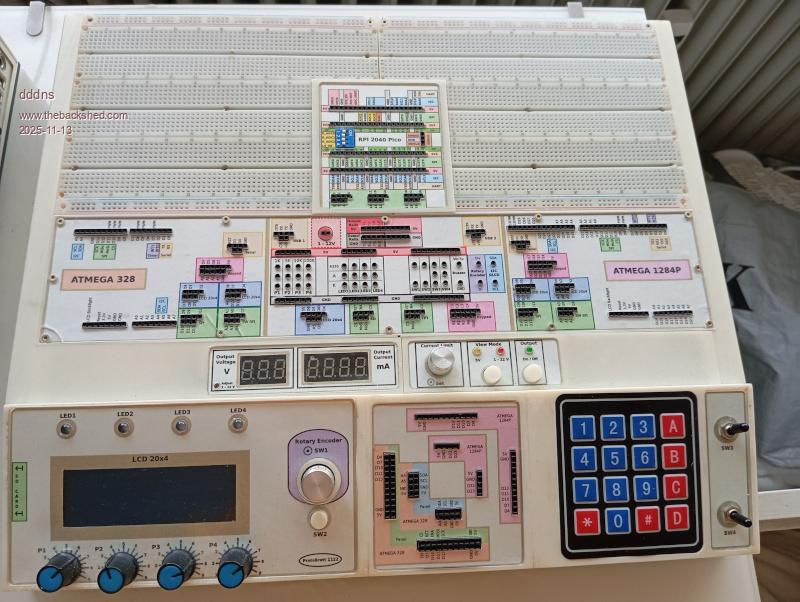


 seams like there's a bit of forum noise about this, just another update breaking something.


